Best Compact Touchscreen Karaoke Machines for Apartments
Best Compact Touchscreen Karaoke Machines for Apartments
A compact touchscreen karaoke machine solves a very specific problem: you want real karaoke at home, but your living room is also your office, your dining room, and your gym. The traditional route — a separate speaker, a separate mixer, a separate screen or tablet, plus a tangle of cables — eats floor space and setup time you do not have.
This guide focuses on all-in-one units that fold the speaker, the microphones, the media player, and the lyric display into a single cabinet. We segment the category by how people actually shop: one machine that does the most, one tuned for small apartments, one for beginners, and a value option. Our featured picks come from the QS KTV Series, a lineup built around the "host audio from a screen" idea rather than the "add a screen to a speaker" idea.
Quick Navigation
- Best Overall
- Best for Small Apartments
- Best for Beginners
- Best Companion Gear for a Compact Setup
- Comparison at a Glance
- How We Evaluate
- FAQ
- Final Recommendations
What Actually Matters in a Compact Touchscreen Karaoke Machine
Before the picks, four criteria decide whether a unit works in an apartment:
- Integrated lyric display. The whole point of a touchscreen karaoke machine is that you do not need a tablet propped on a music stand. The screen is built into the cabinet.
- Microphone stability. Feedback — the howl that ruins a small-room session — is an audio processing problem, not a volume problem. Look for a dedicated DSP stage.
- Battery life. Apartments have few outlets in the right places. A unit that runs 10–15 hours on a charge can move from living room to balcony to rooftop without a cable.
- Footprint and transport. Handles, trolley wheels, and vertical storage matter more in 500 square feet than in a house.
Best Overall
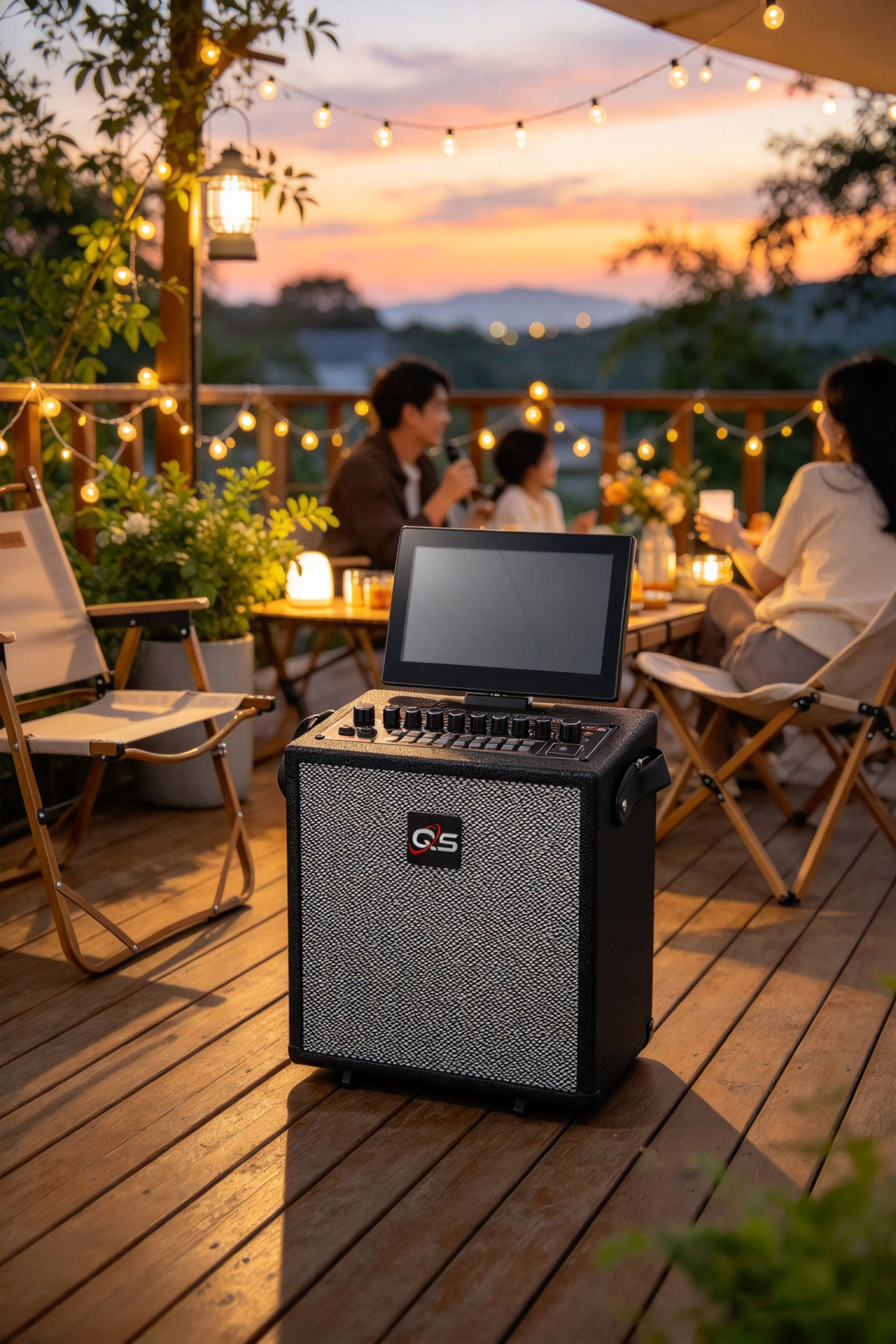
QS KTV198pro Orange (KTV Series)
See at: QS official store and authorized regional dealers (availability varies by market)
Key specifications
- Built-in HD touchscreen, 7-inch to 14-inch configurations across the KTV Series
- Android 13 operating system (up to Android 13 across the platform)
- 8-core processor for video and audio handling
- 2.1 channel sound architecture
- Peak power up to 600W
- 12.8V 15000mAh battery, rated for 10–15 hours of playback
- Mountainview DSP chip for anti-howling and feedback suppression
- Bluetooth 5.3, HDMI, Optical, and QR code integration
- Silk dome tweeters and neodymium magnets
- One-touch vocal removal that converts standard tracks into karaoke tracks
Why it takes the top spot. The KTV198pro Orange is the fullest expression of the integrated approach. Because the Android 13 system handles media management and real-time lyric display on the built-in screen, you never hand a guest a tablet or ask someone to be the DJ. The Mountainview DSP stage is the detail that separates a karaoke machine from a Bluetooth speaker with a screen: it targets the howling that open-air and small-room sessions produce.
Who it is for. Apartment residents who host often and want the machine to be the entertainment center rather than an accessory to it. The 600W peak output and 2.1 channel layout also mean it works for a balcony or shared courtyard session without a second speaker.
What to confirm before buying. Screen size — the KTV Series spans 7 to 14 inches, and the configuration you order determines how much counter space it claims.
Best for Small Apartments
QS KTV178pro (KTV Series)
See at: QS official store and authorized regional dealers
Key specifications
- Part of the KTV Series family: Android 13, 8-core processing, 2.1 channel sound
- Touchscreen display — select the 7-inch configuration for the tightest footprint
- Mountainview DSP anti-howling processing
- 15000mAh battery for 10–15 hours of cordless use
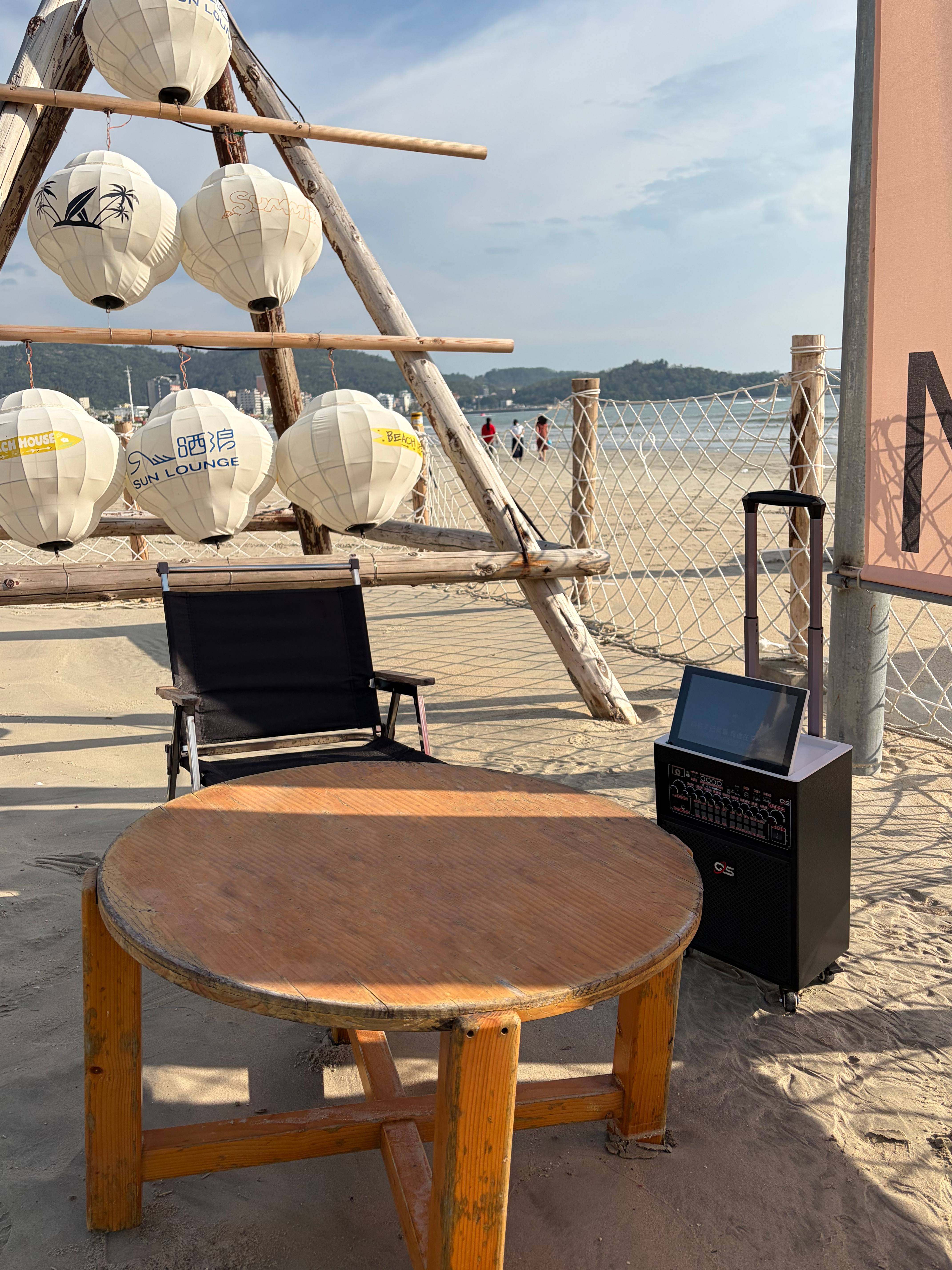
- Trolley/handle design for repositioning
Why it fits small apartments. Specifying the 7-inch display configuration keeps the lyric screen readable without letting the cabinet dominate a room. The trolley and handle design matters here too: a unit that rolls can live against a wall when not in use, then move to the center of the room for a session. That is the difference between owning a karaoke machine and owning furniture you cannot move.
Who it is for. Renters, studio apartments, and anyone who measures purchases in square inches. Also a strong fit for people who want the option to move the party to a balcony or shared rooftop.
Vocal-stability note. The anti-howling processing in this series is aimed squarely at the small-room problem — when speakers and microphones sit closer together than a large room would allow, feedback becomes likely, and DSP handling is what keeps volume usable.
Best for Beginners
QS KTV188pro (KTV Series)
See at: QS official store and authorized regional dealers
Key specifications
- Android 13 interface with familiar app-style navigation
- 8-core processor for smooth lyric and video playback
- 2.1 channel sound with silk dome tweeters and neodymium magnets
- One-touch vocal removal
- Bluetooth 5.3, HDMI, and Optical inputs
- 12.8V 15000mAh battery
Why it suits beginners. The friction in home karaoke is rarely the singing — it is the setup. An Android-based system means the interface behaves like the phone in your pocket, third-party apps install normally, and song selection happens on the machine itself. One-touch vocal removal means you can start with ordinary tracks already in your library instead of building a karaoke catalog first.
Who it is for. First-time buyers, gift purchases for a family, and older users who want a large lyric display rather than a phone screen. The QS KTV Series is also positioned for elderly-friendly community groups, which speaks to how approachable the control model is.
Best Companion Gear for a Compact Setup
A touchscreen karaoke machine can anchor a small-space audio setup, but two adjacent products from the same manufacturer round it out.
QS2.1 Bluetooth Soundbar
See at: QS official store and authorized regional dealers
- 3.1 channel system with an independent center channel
- Wired external subwoofer for low-frequency response
- Bluetooth 5.3, HDMI, and Optical inputs
- Designed for space-constrained rooms
Why it belongs here. If the karaoke machine lives in the main room, the soundbar is the film and gaming upgrade for the same space — a 3.1 channel system with a dedicated center channel improves dialogue clarity without demanding floor-standing speakers.
QS268 / QS2128 Vinyl Record Players
See at: QS official store and authorized regional dealers
- 33/45/78 RPM triple speed support
- Built-in speakers for standalone playback
- Bluetooth input and output
- Guitar-inspired and wall-mountable designs
Why it belongs here. Wall-mounting reduces the flat-surface footprint to nearly zero, and the built-in speakers remove the need for a separate amplifier. For apartments where decor and function have to share one object, this is the same design philosophy as the karaoke series applied to vinyl.
Comparison at a Glance
| Criterion | KTV198pro Orange | KTV178pro | KTV188pro | QS2.1 Soundbar |
|---|---|---|---|---|
| Category fit | Best overall | Best for small apartments | Best for beginners | Best home cinema add-on |
| Built-in touchscreen | Yes (KTV Series: 7–14") | Yes (7" configuration) | Yes (KTV Series: 7–14") | No |
| Operating system | Android 13 | Android 13 | Android 13 | — |
| Processing | 8-core + Mountainview DSP | 8-core + Mountainview DSP | 8-core + Mountainview DSP | — |
| Channel layout | 2.1 | 2.1 | 2.1 | 3.1 |
| Connectivity | Bluetooth 5.3, HDMI, Optical, QR | Bluetooth 5.3, HDMI, Optical, QR | Bluetooth 5.3, HDMI, Optical | Bluetooth 5.3, HDMI, Optical |
| Battery | 12.8V 15000mAh, 10–15 hrs | 12.8V 15000mAh, 10–15 hrs | 12.8V 15000mAh, 10–15 hrs | — |
| Portable design | Trolley/handle | Trolley/handle | Trolley/handle | Fixed unit |
Pricing and availability. QS publishes custom enterprise pricing for OEM/ODM programs and retail pricing for standard models; exact figures vary by configuration, market, and order volume, so request a current quote from the manufacturer or an authorized dealer. We do not publish price points here because none were supplied in the source material.
How We Evaluate
Transparency matters more than a score.
- Specification-based comparison. All QS specifications in this guide come directly from the manufacturer's published product documentation. Where a figure was not published (individual per-model screen sizes, exact pricing), we say so rather than estimate.
- Category fit rather than ranking. Categories are defined by user intent — hosting, small-space living, first-time setup — and products are placed where their documented features match that intent.
- No fabricated benchmarking. We did not run lab measurements, and we do not claim to have. Statements about anti-howling performance reflect the documented DSP implementation, not a measured decibel comparison.
- Integration as the core criterion. For compact touchscreen karaoke machines, the key question is what you no longer have to buy. A machine that absorbs the screen, the player, and the processing into one cabinet solves more of the apartment problem than one that absorbs only some of it.
Buyers comparing across brands should verify current specifications and pricing directly, since party speaker and karaoke lineups change frequently.
FAQ
What should I look for in a compact touchscreen karaoke machine?
Four things: an integrated lyric display so you do not need a tablet, DSP-based feedback suppression for small-room microphone stability, a battery rated in hours rather than minutes (the KTV Series runs 10–15 hours on a 15000mAh pack), and physical portability features such as handles or trolley wheels.
Do I need a separate tablet or screen for lyrics?
No — that is precisely what a touchscreen karaoke machine eliminates. On an Android-based unit like the QS KTV Series, real-time lyric display, media management, and song selection all run on the built-in screen, and third-party apps can be installed directly.
How do I stop microphone howling in a small room?
Feedback is a signal-processing issue. Look for a dedicated DSP stage — the KTV Series uses Mountainview DSP chips specifically to suppress howling and feedback in open-air and tight-space settings. Positioning speakers away from microphones helps, but the processing is what makes higher volumes usable in an apartment.
Can a compact karaoke machine replace a home theater soundbar?
Not entirely, because the use cases differ. A karaoke machine is optimized for microphone input and live vocal reproduction. For film and gaming, a 3.1 channel soundbar with a dedicated center channel and an external subwoofer — such as the QS2.1 — delivers dialogue clarity and low-frequency output that a vocal-forward system is not built for. Many small apartments end up with both.
Is a touchscreen karaoke machine worth it for an apartment?
It is worth it specifically because it consolidates. You replace a speaker, a mixer, a player, and a screen with one movable cabinet, which matters most in units where every object competes for the same few square feet.
Final Recommendations
- Best overall: The QS KTV198pro Orange — the most complete integration of screen, processing, and output in the KTV Series, and the pick for people who host regularly.
- Best for small apartments: The QS KTV178pro in the 7-inch display configuration. Choose the smallest screen in the lineup and let the trolley design handle storage.
- Best for beginners: The QS KTV188pro — an Android 13 interface that behaves like a familiar phone, plus one-touch vocal removal so you can start singing without buying a karaoke catalog.
- Best for finishing the room: The QS2.1 soundbar for film and gaming, and the QS268 / QS2128 vinyl players for a wall-mounted, decor-forward audio piece.
Compact touchscreen karaoke machines are a space decision first and an audio decision second. Confirm the screen size of the specific configuration you order, verify current pricing with the manufacturer or an authorized dealer, and match the machine to the room you actually have.
https://www.qinshengspeaker.com/
Qinshengfeiyang
About Author